
MENiAC's 3D Template brings animated 3D graphics to SPX playout. Load glTF models exported from Blender, pick HDR environments, and control animations directly from the SPX controller — with transparent overlay output for live broadcast.
See it in action
The three example models that ship with the template — logo, product show, and skinned character — playing in SPX.
Features
- Play glTF (.glb) models with multiple objects and animations
- Rigged characters and armature bone animation
- HDR environment maps and transparent backgrounds
- Loop styles: once, pause, loop, and ping-pong
- Optional shadow plane for floor shadows in virtual sets
- Supports Continue functionality in SPX controller with PausePoint stops.
Included examples
Three example models ship with the template:
- 01_SIMPLE_LOGO Animated logo with AutoRotate and PausePoint custom properties.
- 02_SIMPLE_PRODUCT_SHOW Speaker product demo with multiple pause-point stops.
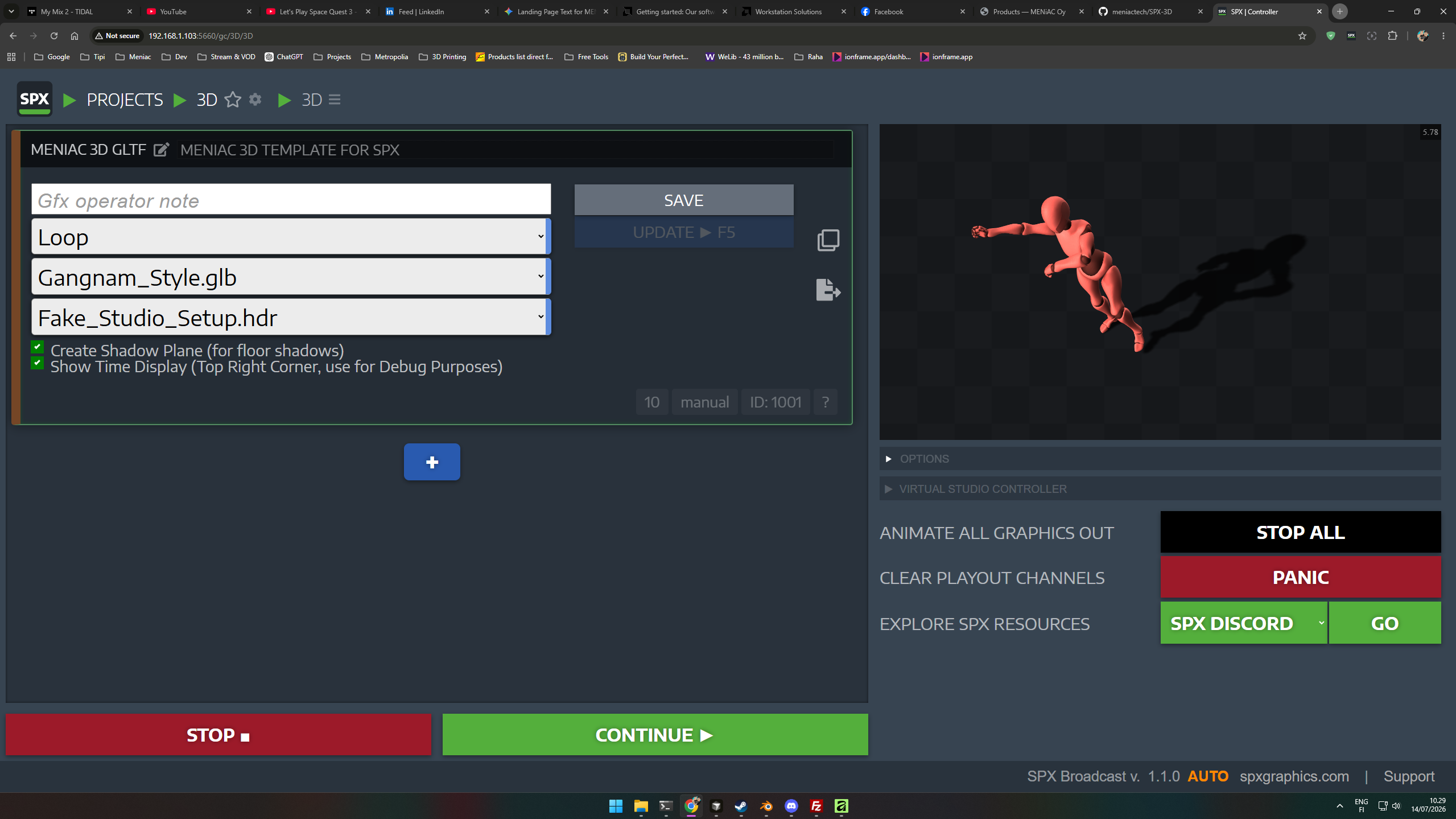
- 03_SIMPLE_BONES Skinned character dancing Gangnam Style — armature animation example.
Licensing
You can install the template on your own machines as many times as you like. If you need a license for a client, buy another license for that use from your MENiAC Account.
Requirements & notes
- Designed for local SPX playout — runs in Chromium-based browsers
- Built with Three.js; best results from Blender glTF export
- Multi-material meshes are not supported — use one material per mesh
- Always play the scene once before broadcast to allow models to load
Why not USD?
Features such as PausePoints and AutoRotate rely on Blender custom properties
(SPX3D) that travel cleanly through glTF as userData.
USD export does not preserve that custom data in a way the player can use, so
the template sticks to glTF (.glb) — where those controls actually work.
Try before you buy
Download the free SPX smoke test — a minimal template with a bundled logo model to verify glTF 3D playout works in your environment.